FreeLLM vs OpenAI API
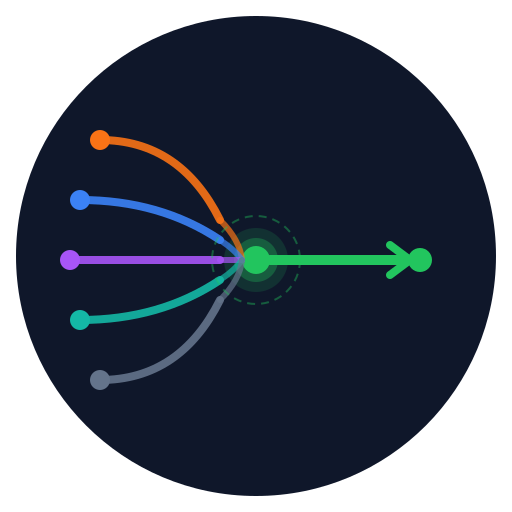
OpenAI's API is great, but every token costs money. FreeLLM routes to free-tier providers including GitHub Models, which serves GPT-4o-mini, plus Groq, Gemini, Mistral, and five others. You keep the exact same OpenAI SDK. You swap one URL.
Side-by-side comparison
| Feature | FreeLLM | OpenAI API |
|---|---|---|
| Cost | $0 (free tiers only) | Pay per token |
| Models available | 32+ (Llama 3.3 70B, Gemini 2.5 Pro, GPT-4o-mini via GitHub Models, Mistral, Cerebras) | GPT-4o, GPT-4o-mini, o1, o3 and others |
| Setup time | ~2 minutes (one-click deploy) | Immediate (managed service) |
| Rate limits | ~450 req/min (3 keys x 8 providers, automatic failover) | Tier-based, increases with spend |
| Self-hosted | Yes (MIT licensed) | No (managed only) |
| OpenAI SDK compatible | Yes | Yes |
| Automatic failover | Yes (8 providers) | No |
| Dashboard | Real-time, included | Yes (usage.openai.com) |
When to use OpenAI API instead
OpenAI's API makes more sense in these situations:
- You need GPT-4o full, o1, or o3 specifically. FreeLLM's free tiers do not include those models.
- You need a guaranteed uptime SLA. Free-tier providers do not offer one.
- You are running production traffic where a 429 or cold-start is not acceptable.
- You want a single vendor to call for support.
These are real tradeoffs. If any of them matter for your project, pay OpenAI.
When FreeLLM makes sense
FreeLLM fits well when you are in one of these situations:
- Prototyping or exploring ideas. You do not want an API bill while figuring things out.
- Testing prompts across multiple models. FreeLLM lets you compare Llama, Gemini, and Mistral responses without managing separate SDKs.
- Side projects with low or bursty traffic. The automatic failover absorbs rate limit spikes so you do not have to.
- You want dev costs at zero and are comfortable with best-effort reliability.
The code change is one line
If you already use the OpenAI SDK, switching to FreeLLM for development is a single environment variable change. Your production code can keep pointing at OpenAI.
python — before (OpenAI)
from openai import OpenAI

client = OpenAI(
    api_key="sk-..."
)
python — after (FreeLLM)
from openai import OpenAI

client = OpenAI(
    base_url="https://your-freellm-instance/v1",  # only change
    api_key="your-freellm-key"
)
node.js — after (FreeLLM)
import OpenAI from "openai";

const client = new OpenAI({
  baseURL: "https://your-freellm-instance/v1",  // only change
  apiKey: "your-freellm-key",
});
Deploy FreeLLM to Railway or Render in about 2 minutes. Bring your own free-tier API keys.
Deploy FreeLLM in 2 minutes